Most AI "computer use" demonstrations you see on social media share a fatal flaw: they rely entirely on vision-based pixel scraping.
An agent takes a screenshot, feeds the 1080p image into an LLM, guesses an (x, y) coordinate, moves your physical mouse cursor, clicks, and prays the interface hasn't shifted by 4 pixels due to DPI scaling or animation delays. While it runs, your computer is hijacked. You cannot type an email, write code, or check an API—because the agent steals your mouse focus at every step.
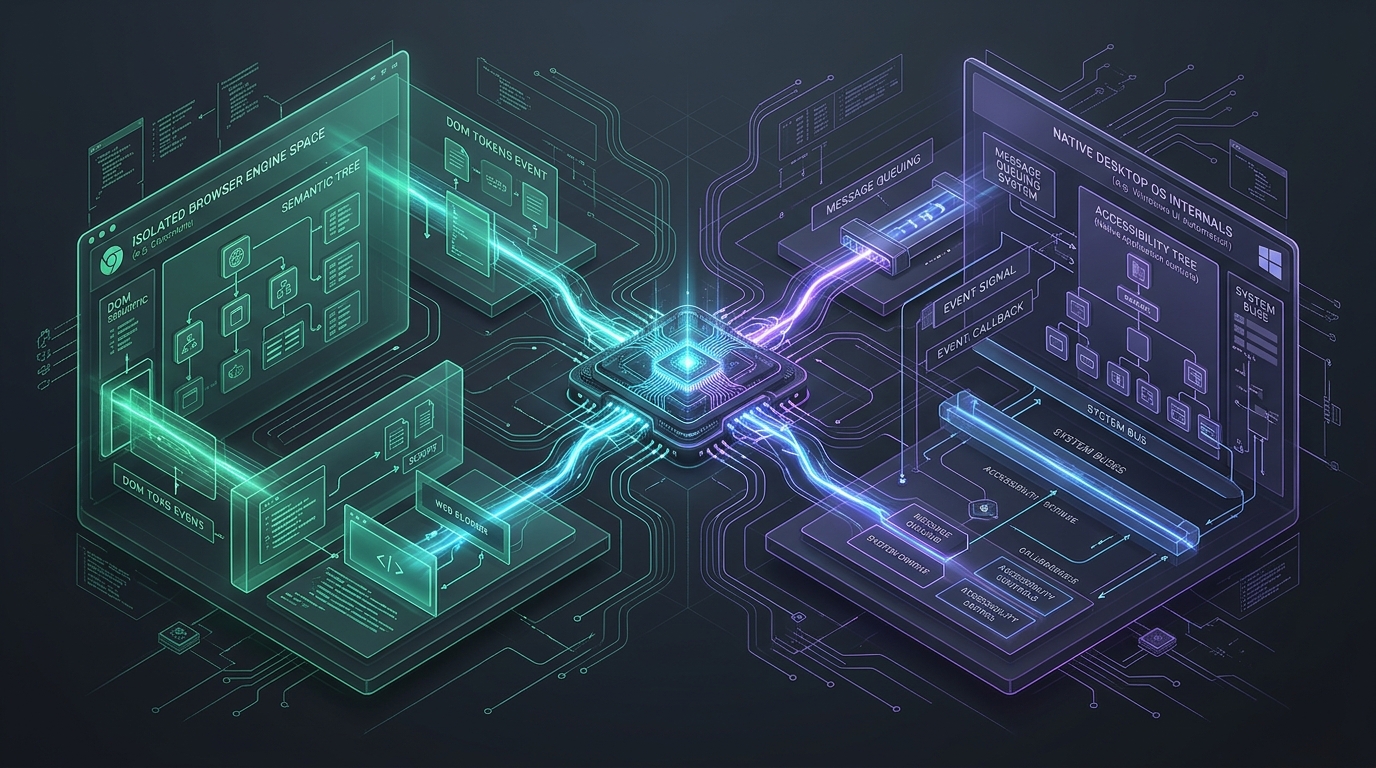
To build a true "Ghost Worker"—an autonomous agent that operates real desktop software and web tools in parallel without moving your mouse cursor or stealing focus—we have to split the system into two specialized lanes:
- Lane 1 (The Operating System): Native Windows UI Automation via Cua Driver over the Model Context Protocol (MCP).
- Lane 2 (The Web Runtime): Isolated, authenticated parallel browser spaces via Ego Lite.
1. Why Accessibility Trees Beat Pixel Scraping
Instead of taking blind screenshots and guessing coordinates, Cua Driver hooks directly into Windows' native C++ UI Automation COM interfaces (IUIAutomation and IUIAutomationCacheRequest). It queries the operating system's internal structural hierarchy.
Here is how Cua Driver is wired into Google Antigravity's global mcp_config.json:
{
  "mcpServers": {
    "cua-driver": {
      "command": "C:/Users/HP/AppData/Local/Programs/Cua/cua-driver/bin/cua-driver.exe",
      "args": ["mcp"]
    }
  }
}
When the agent needs to inspect a target window, it doesn't scrape pixels. It calls get_window_state, receiving a deterministic indexed element tree:
window_id=198146 pid=4964 snapshot_id=s0000000a
element_token for row [N] = s0000000a:N

- Window "Antigravity"
  - Pane "Antigravity"
    - [0] Button "Minimize" [actions=[invoke]]
    - [1] Button "Maximize" [actions=[invoke]]
    - [2] Button "Close" [actions=[invoke]]
To click "Minimize", the agent does not move the mouse. It executes:
{
  "element_token": "s0000000a:0",
  "delivery_mode": "background"
}
Cua Driver dispatches a background PostMessage directly to the window message pump. The window minimizes instantly—yet your physical cursor never moves, and your active window focus remains completely untouched.
2. Lane 2: Bypassing "Login Hell" with Ego Lite
Standard browser automations (Puppeteer, raw Selenium) fail in production because they spin up empty profiles. The moment an agent lands on Stripe, AWS, or GitHub, it gets blocked by 2FA, Captchas, or Cloudflare Turnstile.
Ego Lite solves this with two innovations:
- Session & Cookie Inheritance: It runs as a Chromium-based engine that inherits your authenticated browser profile data. No hardcoded passwords, no 2FA roadblocks.
- Semantic DOM Tokenizer: Instead of polluting the context window with 50,000 lines of raw HTML, it converts interactive DOM elements into lightweight semantic tokens (
@e1,@e2).
While Cua Driver requires low-level MCP primitives, Ego Lite is operated via a token-efficient Skill + CLI pattern. Loading browser tool schemas on every single prompt wastes thousands of context tokens. By using the Skill pattern, browser tools are summoned on demand only when web tasks are requested.
3. Live Proof: The Self-Driving Cloud Test
During our initial verification test, we gave Antigravity a self-referential objective: Drive your own UI using Cua Driver and provision a new Remote Cloud Project.
The agent executed the entire pipeline silently:
- Inspected its own process tree (PID
4964) viaget_window_state. - Located
Button "Create New Project"and clickedButton "New Remote Project"in the background. - Dispatched
set_valueto inject the project nameGhost-Worker-Orchestrationinto the text field. - Invoked
Button "Create".
In less than 4 seconds, a persistent Google AI Pro cloud container was provisioned and active—without a single manual mouse click.
4. What This Means for Solo Builders
The transition from "coder" to "systems architect" comes when you stop doing mechanical tasks manually. Combining Antigravity 2.0 with Cua Driver and Ego Lite means you have a dual-lane ghost engine:
One hand operates on the web with full authenticated access; the other hand manipulates your operating system and native applications in the background. Your monitor, your mouse, and your time remain entirely your own.
Stop scraping pixels. Build deterministic, accessibility-backed ghost workers.