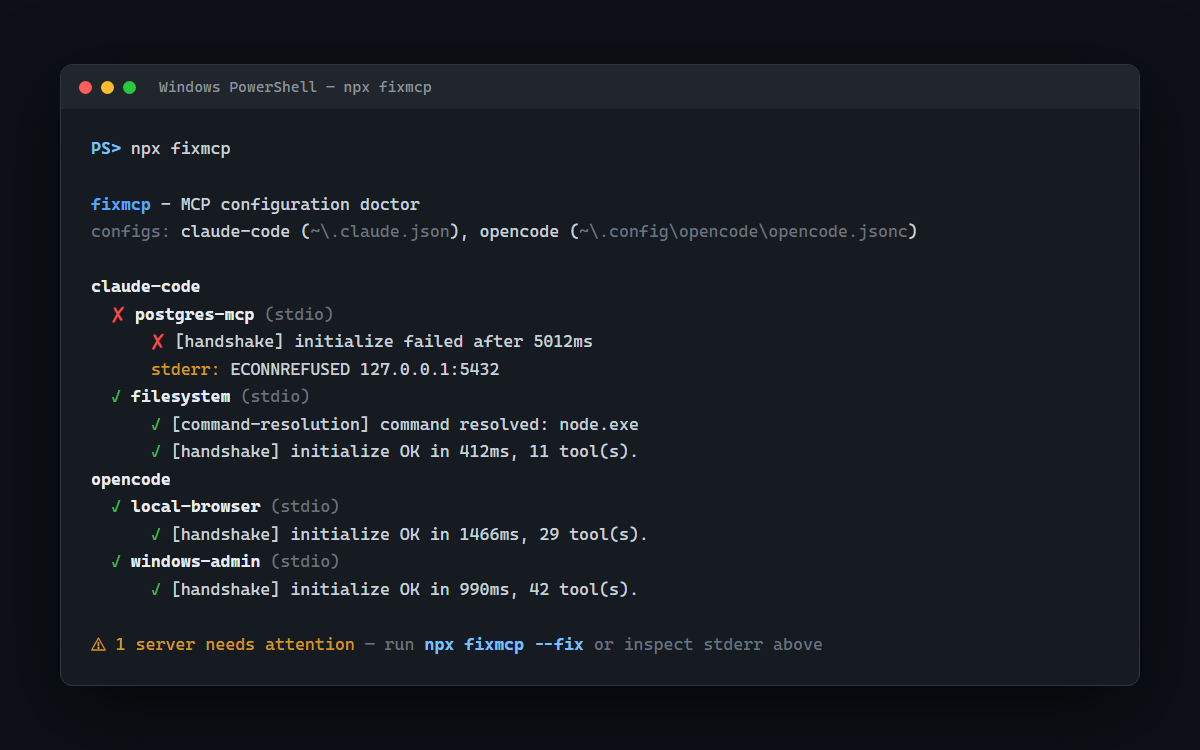
Every AI coding agent — Claude Code, Cursor, opencode, Windsurf — runs on MCP servers. And every few weeks, one of them silently breaks your entire setup. No error you can Google. Just a dead agent at boot and a cryptic code like -32001 staring back at you.
That happened to me. My agent kept dying on startup, and nothing in the logs pointed anywhere useful. After far too long digging, I found the cause: a broken MCP server configuration I had no easy way to even see. The configs live scattered across half a dozen apps, each with its own format, and the failure mode is silence.
The actual culprit
The trail led to something absurdly small: how the package runner resolves @latest. A version tag that should mean "newest and safest" was pulling a combination that broke the JSON-RPC handshake between the agent and the server. One moving pin, total silence, zero diagnostics. I fixed my setup in minutes once I could see it — but seeing it had taken days.
So I built the tool I wished existed
fixmcp is a doctor for MCP configurations. Point it at your machine and it:
🔍 Finds every MCP config across Claude Code, Claude Desktop, opencode, Cursor, VS Code, and Codex · 🩺 Runs real health checks — actual JSON-RPC handshakes, not just "does the file exist" · ⏱️ Reports latency and tool counts per server · 🔧 Repairs fragile configs with npx fixmcp --fix (backups included, always).
Try it
One command, zero install, MIT open source:
npx fixmcp
If you build with AI agents, run it once today. You might catch something that has been quietly breaking your workflow for weeks. And if it finds something interesting, tell me about it — the weirdest MCP failure stories are how this tool gets better. The full technical write-up lives on my DEV profile, and the code is on GitHub.